

Connect Zeno Household to Claude
Zeno Household is listed in Claude's connector directory. Open the listing, choose Connect, sign in to Zeno, and choose what Claude may do. After that it's in every chat, in the phone app too.
Before you start
- A Zeno Household account at app.zenonest.com, with your email confirmed.
- Claude on the web at claude.ai or the desktop app. Once it's connected there, it works in Claude's phone app too.
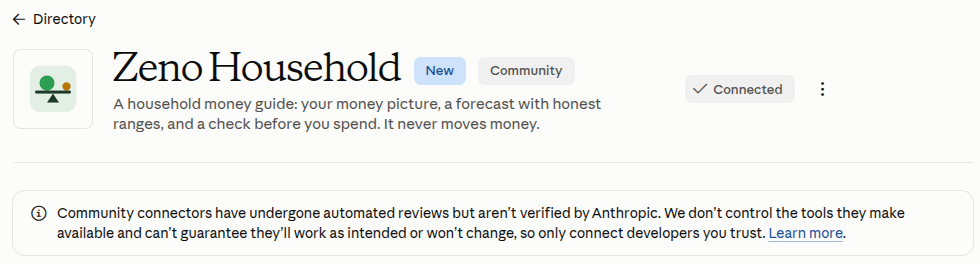
Step 1: Open the listing and choose Connect
Open Zeno Household in Claude's directory, signed in to Claude, and choose Connect.
Step 2: Sign in and approve
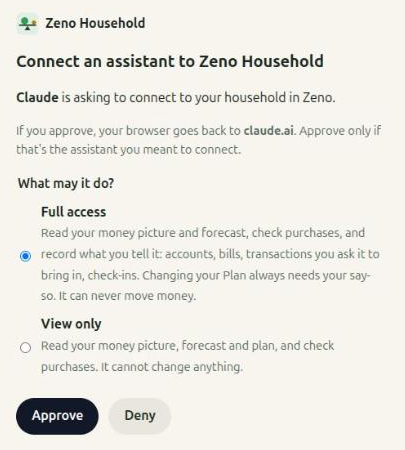
Zeno opens. Sign in if it asks you to. Choose Full access, or View only if Claude should only read, then choose Approve.
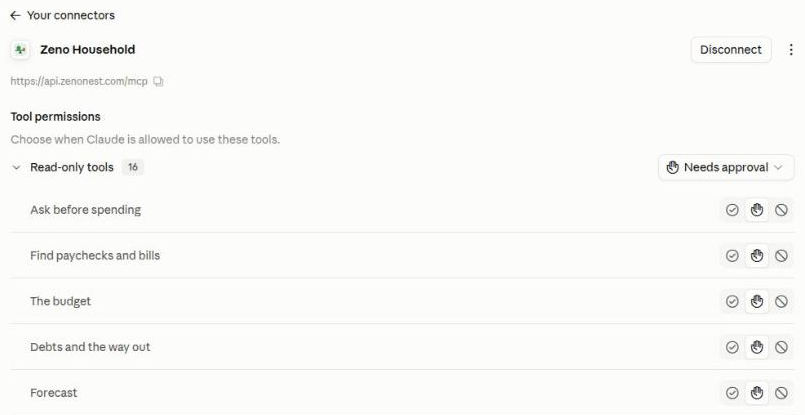
You're back in Claude, connected. The connector page lists Zeno's tools, and you can choose which ones Claude may use without asking first.
Step 3: Ask Claude
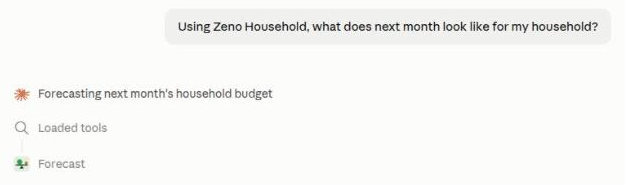
Start a new chat and ask something only Zeno knows, such as "Using Zeno Household, what does next month look like for my household?" Claude calls Zeno and answers from your own numbers. New to Zeno? Say "Let's set up my household in Zeno."
If something goes wrong
- The listing won't connect. If your Claude is managed by an organization, an owner may need to allow the connector first. Or add Zeno by hand, as below.
- Claude asks before every Zeno call. That's the default. On the connector page, set Read-only tools to Always allow if you'd rather it didn't ask.
- Zeno says your email isn't confirmed. Open the link we sent when you signed up, then choose Connect again.
- You want to disconnect. Choose Revoke next to Claude under Settings → Your assistants in the Zeno app, or Disconnect on the connector page in Claude.
Adding it by hand instead
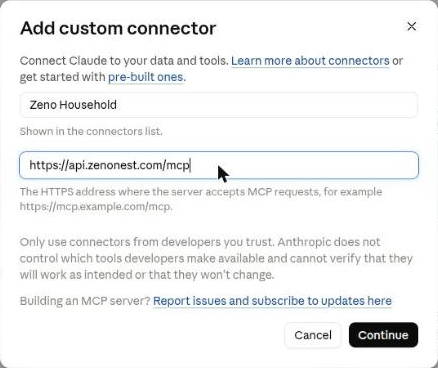
In Claude, choose Customize → Connectors → Add → Add custom connector. Name it Zeno Household, enter https://api.zenonest.com/mcp as the server URL, and choose Add, leaving the sign-in settings Claude detects as they are. Then carry on from Step 2.
Still stuck? Write to support@zenonest.com, and a person will answer.
Using a different assistant?
Share money with a partner? Each of you can use your own assistant, and you'll both see the same household.