Assistants · Muse
Connect Zeno Household to Muse
You ask Muse in a chat to add Zeno, sign in to Zeno, and choose what Muse may do.
Before you start
- A Zeno Household account at app.zenonest.com, with your email confirmed. Open the link we mailed when you signed up.
- Muse open in your browser or the app.
There are two ways to connect. Sign in is quicker. A token suits connecting someone else's Muse to your household, such as a spouse's, without sharing your Zeno password.
Sign in (recommended)
Start a new chat in Muse and send:
Please add a custom connector called Zeno Household, my household money planner, at https://api.zenonest.com/mcp. It uses OAuth sign-in.
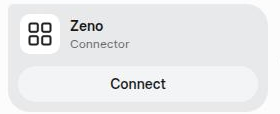
- Muse replies with a connector card. Choose Connect.
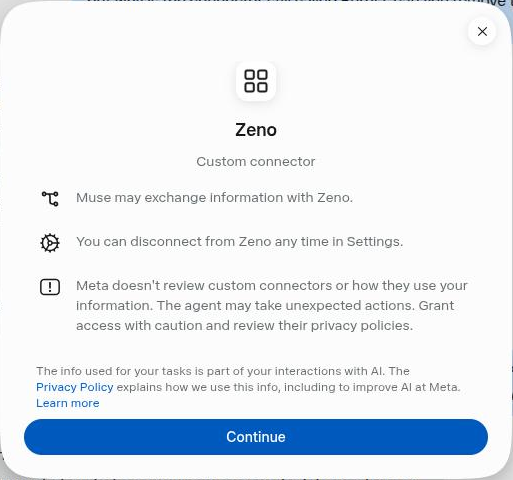
- Muse explains what a custom connector can do. Choose Continue.
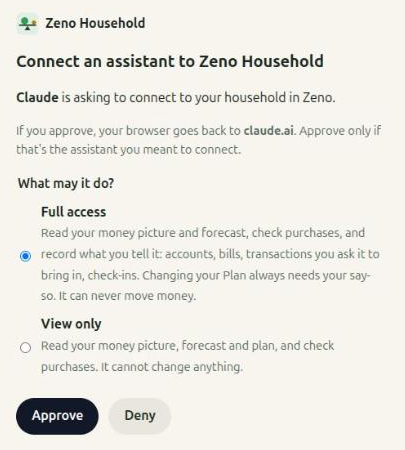
- Zeno opens. Sign in if it asks you to. Choose Full access, or View only if Muse should only read, then choose Approve.
You're back in Muse, connected. To try it, ask "Let's set up my household in Zeno," or "What does next month look like?" The connection shows in the Zeno app under Settings → Your assistants.
Or connect with a token
- Open Settings in the Zeno app and find Your assistants. Pick Muse and Full access (or View only), then choose Create token. Copy it: it's shown only once.

- In a new Muse chat, send: "Please add a custom connector called Zeno Household at https://api.zenonest.com/mcp. I have an API key for it." Then choose Connect and Continue as above.
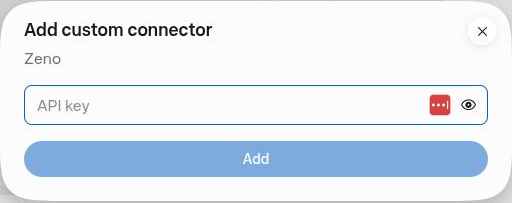
- When Muse asks for an API key, paste the token into that box, not into the chat, and choose Add.
If something goes wrong
- Muse says "Couldn't connect this app." Ask Muse to remove the Zeno Household connector completely and add it again with OAuth, registering a new client with
client_secret_basic. A connector Muse built before Zeno supported this keeps failing until it's added again. - Muse asks to share information with api.zenonest.com. Choose Always allow. It asks the first time it contacts Zeno.
- Muse says the key doesn't work. Make sure you pasted the whole token, starting with
zn_. If in doubt, revoke it in Settings, create a new one, and connect again. - You want to disconnect. Choose Revoke next to Muse under Settings → Your assistants. It stops working immediately.
Your bank connects to Muse, not to Zeno. Zeno never asks for your bank login. If your bank is connected in Muse, ask it: "Bring my bank transactions and balances into Zeno."
Still stuck? Write to support@zenonest.com, and a person will answer.
Same household, any assistant
Using a different assistant?
Share money with a partner? Each of you can use your own assistant, and you'll both see the same household.
Claudeby AnthropicFind Zeno in Claude's connector directory, choose Connect and sign in. About a minute.Connect Claude →ChatGPTby OpenAIAdd Zeno as a plugin, sign in, and ask about your money in any chat.Connect ChatGPT →Geminiby GoogleConnect Zeno to Gemini, sign in, and your forecast is a question away.Connect Gemini →